Creative production
Turn your product catalog into ad creative
Most brands have far more products than creative. A 400-SKU catalog usually ships with maybe a dozen ad concepts, so the long tail of the catalog runs on a raw product shot and a price. That is the single largest untapped source of performance in most accounts.
Xeli reads your feed the way a designer would read a line sheet: title, category, price, margin, imagery, availability. Every SKU becomes a brief, every brief becomes a set of channel-ready creatives, and every creative is checked against your brand rules before it leaves the system.
Why catalog creative stalls
- 01Design capacity is fixed while the catalog changes weekly, so new arrivals launch with placeholder creative or none at all.
- 02Resizing one concept across nine placements is a full day of work that produces zero new ideas.
- 03Feed fields drift. A price change or a discontinued colourway quietly makes live ads wrong.
- 04Nobody can tell which SKUs never got creative, because the gap lives in a spreadsheet nobody owns.
How it works
- 1Connect the feed
Point Xeli at a Shopify store, a Google Merchant Center feed, or a CSV. It maps fields, flags missing images and normalises categories.
- 2Learn the brand
Brand DNA ingests fonts, palette, logo lockups, tone rules and legal disclaimers so generation starts inside your guardrails rather than being corrected afterwards.
- 3Brief every SKU
The strategist agent writes an angle per product: hero benefit, objection to kill, offer to lead with, audience to talk to.
- 4Generate and resize
Image and motion agents produce concepts, then export each one across the placements you actually buy, with text kept inside the safe zones.
- 5Score and ship
Candidates are ranked before spend, low scorers are regenerated, and approved creative is pushed to the ad account with consistent naming.
One template. Every SKU, on brand.
Pick a brand. Xeli applies your layout, type and brand system across the entire catalog, sized perfectly for every channel.





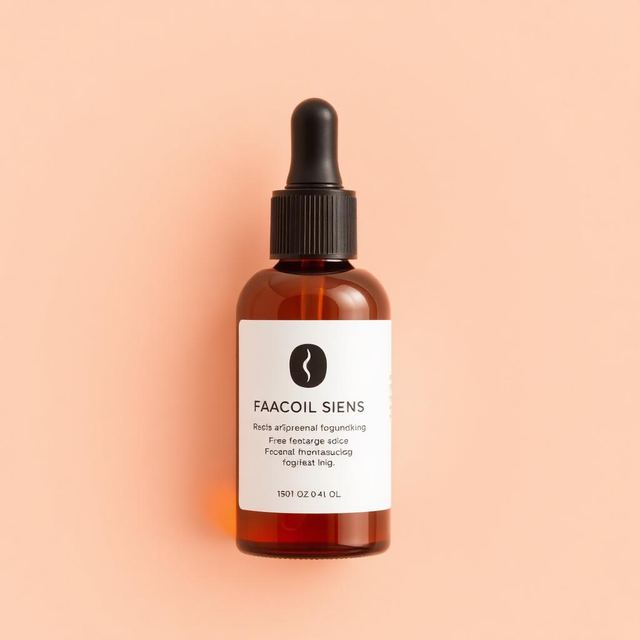
Ads Xeli has rendered. A distinct system per category.
What you get
Headlines and primary text pull real attributes: shade names, fabric, capacity, price band. No generic 'Shop now' filler across 400 products.
1:1, 4:5, 9:16 and 16:9 exports generated together, so a concept is never held up waiting for a resize.
When price, stock or imagery changes in the feed, affected creatives are flagged and can be regenerated in place.
Run the whole catalog, a collection, or a single SKU. The pipeline is the same either way.
Where it stops
The honest limits. If any of these are dealbreakers, better to know now.
- —Generation quality is bounded by feed quality. Products with a single low-resolution image on a cluttered background produce weaker creative than products with clean packshots.
- —Regulated categories such as supplements, alcohol and financial products still need human legal review before launch.
- —Xeli does not invent product claims. If a benefit is not in your feed, your brand kit or your brief, it will not appear in the copy.
Questions people ask
What feed formats are supported?
Shopify product exports, Google Merchant Center XML and TSV feeds, and plain CSV with a title, image, price and category column. Anything else can be mapped manually.
Does this replace dynamic product ads?
No, it feeds them. Dynamic product ads still handle the auction-side matching. Xeli improves the asset each DPA impression renders, which is the part the ad platform never fixes for you.
How do you keep 400 ads from looking identical?
Concepts are generated per category and per angle, not per template. Two products in the same collection get different hooks, layouts and crops while sharing the same brand tokens.
Can we edit before anything goes live?
Yes. Everything lands in a review queue with per-asset approve, regenerate and edit actions. Nothing publishes without a human pressing publish unless you turn on auto-publish.
Want this running on your catalog?
We onboard a small number of brands at a time so setup gets real attention.